# Install from GitHub
remotes::install_github("fellennert/teachrag")

# Check dependencies (R packages, Ollama models)
# Run ensure_dependencies() to install any missing R packages
teachrag::check_dependencies()
teachrag::ensure_dependencies()A Local RAG Assistant for My Teaching Materials
Description and motivation
Teaching Computational Social Science means juggling a lot of moving parts: weekly slides, code-heavy handouts, assignment descriptions, and project guidelines. Students often have very specific questions (“Where did we talk about supervised vs. unsupervised learning?” or “What exactly did you say about OCR vs. Whisper?”) that are answered somewhere in the materials, but not always easy to find on short notice. Rather than sending them back to a generic chatbot, I built a Retrieval-Augmented Generation (RAG) system that knows only about my course and answers questions based strictly on the resources I gave them.
I packaged this into an R package called teachrag, available on GitHub. It uses the ragnar package to turn course materials into a searchable store, connects to Ollama (local) or Claude (API) for answers, and includes a Shiny app and setup wizard for interactive use.
Data source
The underlying corpus consists of teaching materials for a semester-long Computational Social Science course that was taught at Leipzig University in the fall of 2025:
- The syllabus (syllabus/, with reading lists and policies) – this is used to ensure that the answers are within the scope of the course
- Lecture slides (slides/, PDFs for intro, web scraping, optical character recognition, audio transcription and diarization, and different approaches to using text as data) – these are chunked by slide-sized chunks
- Topic-specific notebooks (script/, Quarto files such as
14_supervised_ml.qmd,17_BERT.qmd,18_GPT.qmd) and other documents (e.g.,syllabus.qmd,lecture_notes.qmd) – these are chunked by section-sized chunks
The R package ships with all underlying course materials pre-built. If you want to read through the materials yourself, I have published them on a dedicated course website. Instructors who want to use their own materials can do so via parse_materials(), build_store(), or the setup wizard (this functionality is still experimental).
The teachrag package
For students, the package provides four ways to ask questions about the course materials (all use bundled data by default):
- Single-turn (
ask_rag()) – ask one question and get an answer - Multi-turn chat (
ask_rag_chat()) – ask follow-up questions with fresh retrieval for each turn - Shiny app (
run_app()) – interactive Q&A with conversation history and retrieved chunks - CLI (
interactive_cli()) – terminal-based prompt
For instructors who want to parse and index their own materials, the package also includes parse_materials(), build_store(), and a run_setup_wizard() that guides through first-time setup.
Installation and dependencies
The package ships with pre-built course data, so you can run Q&A immediately without any setup. Install from GitHub and verify dependencies:
Before first use, ensure you have Ollama installed with qwen2.5:3b and nomic-embed-text pulled, or ANTHROPIC_API_KEY set if you prefer Claude (in the latter case you will still need Ollama and nomic-embed-text for the embeddings; you can also use the Shiny app to set up the API key).
Asking questions
Once installed, you can query the course materials in several ways. All of these show progress: Querying database… → Producing initial answer… → Fact-checking answer…
Single-turn Q&A – ask one question and get an answer:
library(teachrag)
ask_rag("What is supervised machine learning?")
Querying database...Producing initial answer...Fact-checking answer...This question is not covered in the course materials. Multi-turn chat – ask follow-up questions and keep context. Note that the chat state is stored in the chat_state object and passed to the function to keep track of the conversation history. Furthermore, I set the temperature of the LLM to 0.1, meaning that the model will be more creative and less deterministic in its answers – i.e., the same question will likely yield a slightly different answer each time. Document retrival is deterministic, meaning that the same question will always be anwered “based” on the same information.
chat_state <- NULL
res1 <- ask_rag_chat(chat_state, "What is supervised machine learning?")
Querying database...
Producing initial answer...
Fact-checking answer...chat_state <- res1$chat_state
cat(res1$answer)Based on the provided context, supervised machine learning refers to a type of machine learning where the model is trained using labeled data. This means that the algorithm is provided with input-output pairs during the training phase, allowing it to learn the relationship between the inputs and the outputs. In the context of the course materials, supervised learning is contrasted with unsupervised learning, where the model is not provided with labeled data and instead tries to find patterns or structure in the data on its own.res2 <- ask_rag_chat(chat_state, "How is it useful for social science research?")Querying database...
Producing initial answer...
Fact-checking answer...chat_state <- res2$chat_state
cat(res2$answer)Based on the provided context, Transformer models like GPT and BERT are useful for social science research in several ways. Specifically, they can lower the cost of annotation by using fewer, but more accurate, annotations by experts (researchers) augmented by LLMs. Additionally, training data generated by researchers can be compared to training data generated by research assistants or microworkers. Furthermore, Transformer models can be used for sequence extraction in social science research.Shiny app – this provides an interactive Q&A with conversation history and retrieved chunks, plus a sidebar to choose Ollama (local) or Claude (API key):
run_app()You can ask a brief question and get an answer: 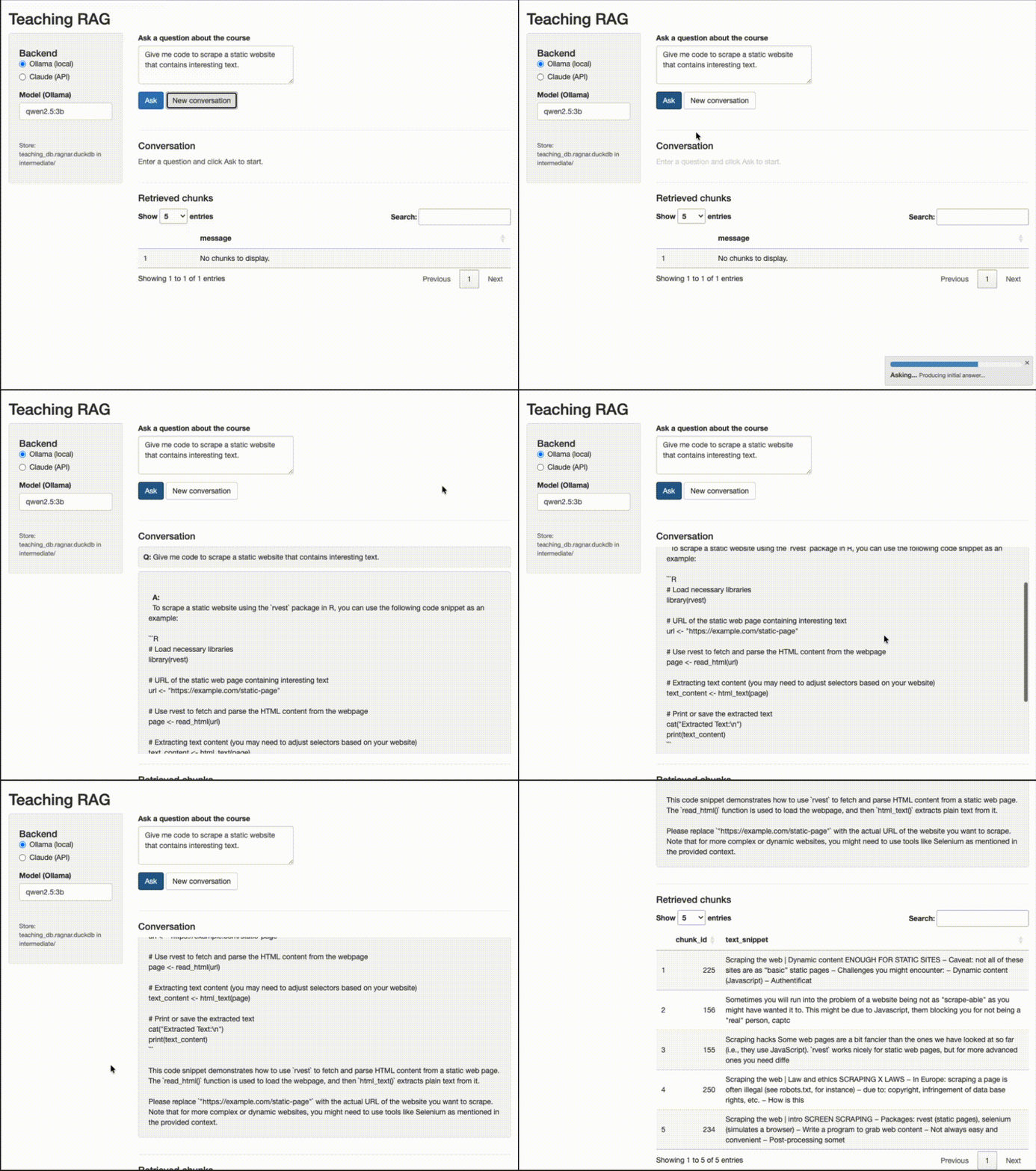
…or ask a follow-up question and get an answer that also takes into account the previous question. 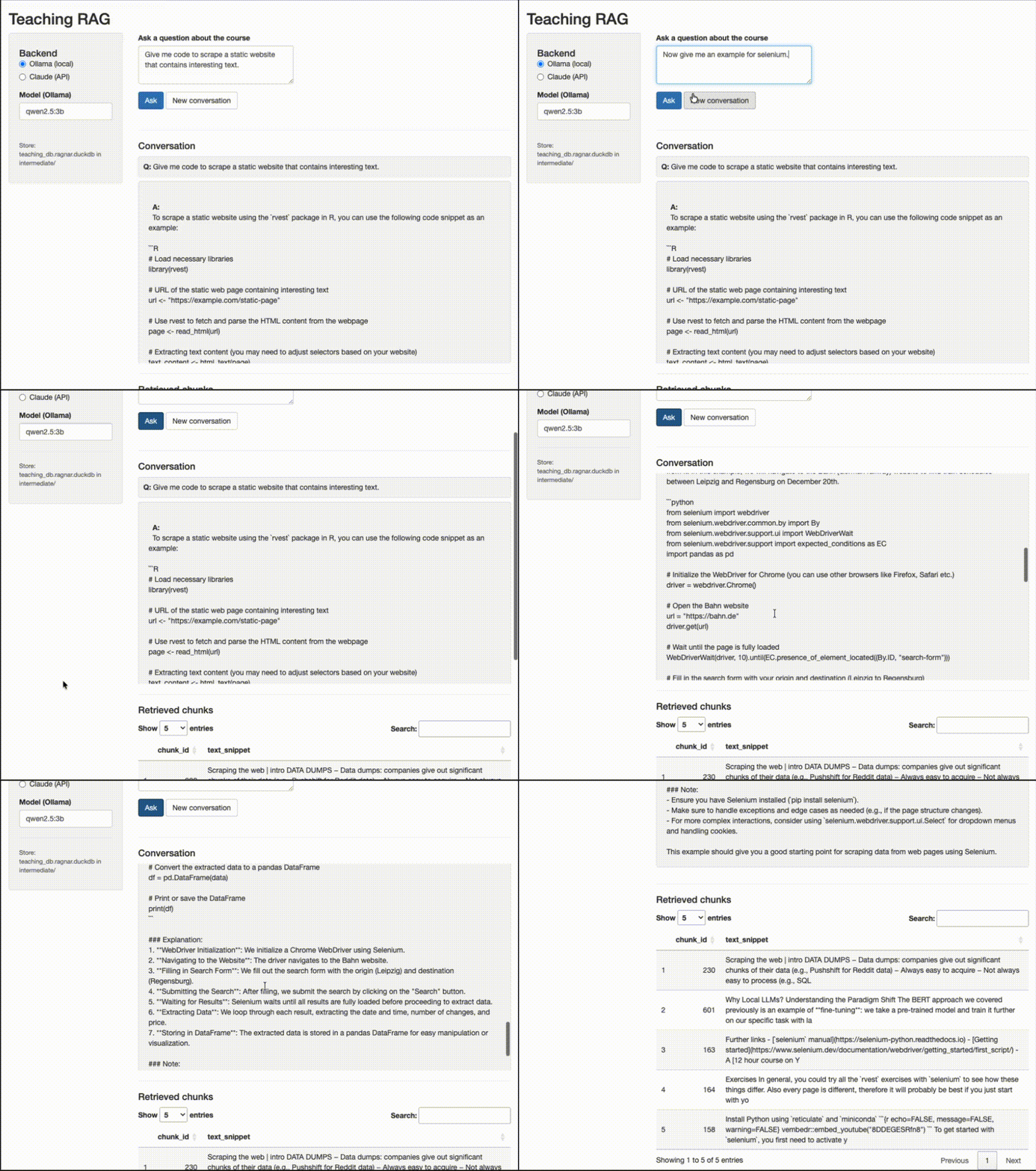
As you can see, the text generation takes a while on my 2021 MacBook Pro – this is why I added a progress bar to the Shiny app. You might want to run this either on a more powerful machine or use Claude via API.
CLI – interactive prompt in the terminal:
interactive_cli()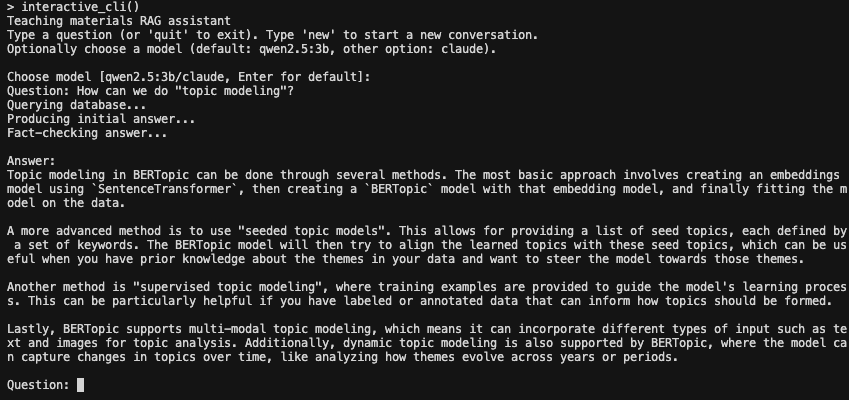
As you can see, the CLI is a bit more limited in its functionality. You can ask a question and get an answer, but you cannot ask follow-up questions.
Architecture
My goal was to create a system that is:
- easy to use for students and instructors
- easy to extend to other courses and materials
- easy to maintain and update
- easy to deploy and scale
- not prone to hallucinations and other LLM-related issues
To achieve this, I implemented the following steps:
Parse: Discover files (qmd, Rmd, md, pdf), convert to markdown via
ragnar::read_as_markdown, chunk by doc type (slides by" --- ", breaking them up into slide-sized chunks, scripts by"##"and"###", breaking them up into section-sized chunks), and then writesyllabus.rdsandchunks.rdsto the output directory.syllabus.rdsis later fed into the LLM to ensure that question and answer are within the scope of the course – I did not want to make this a general chatbot.Build store: Read chunks, reformat for ragnar, create DuckDB store with
nomic-embed-textembeddings via Ollama.Query:
ask_rag()retrieves relevant chunks with BM25, formats context, sends to the LLM; a content checker (based on either Claude or a local model) ensures questions and answers are within scope using the syllabus summary.Multi-turn:
ask_rag_chat()keeps the same chat session and retrieves fresh chunks for each follow-up question so answers stay aligned with course content.
Requirements
- R packages:
dplyr(>= 1.2.0) and others (see DESCRIPTION). Runteachrag::check_dependencies()to verify, orteachrag::ensure_dependencies()to install missing packages. - Ollama with models
qwen2.5:3bandnomic-embed-text(for local Q&A and embeddings). - Claude API (optional): if you prefer Claude via API, set
ANTHROPIC_API_KEYin your environment. You will still need Ollama andnomic-embed-textfor the embeddings.
Summary
This project turns a semester’s worth of teaching materials into a focused RAG system. The teachrag package ships with pre-built course data, so students can install it, check dependencies, and start asking questions immediately – via single-turn Q&A, multi-turn chat, a Shiny app, or the CLI. Answers are grounded in the course materials and fact-checked against the syllabus. The system is intentionally modest: it does not try to be a general-purpose assistant, but rather a guided search and explanation tool over a well-defined corpus. The code is available as an R package on GitHub.